Windows Server 2022 Rds 50 Device CAL license
- License key will be sent to your email address after payment.
- It will come with official download links and installation instructions.
- One-time purchase with lifetime validity. no monthly/annual subscription or renewal required.
- You will get all official updates.
- Supports all languages and works worldwide.
- We Provide support if you are not able to activate the key.
₹4,449.00
Product Description
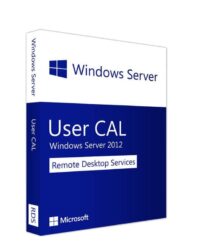
Windows Server 2022 Remote Desktop Services (RDS) Device CAL
Windows Server 2022 Remote Desktop Services Client Access Licenses (RDS CALs) are additional licenses required when users or devices remotely access a Windows Server desktop, applications, or other Remote Desktop Services features. A standard Windows Server CAL alone is not sufficient for Remote Desktop Services access.
Key Highlights
✓ Required for Remote Desktop Access
- Required when users connect to a Windows Server desktop remotely.
- Needed for published applications through RemoteApp.
- Required for Remote Desktop Session Host (RDSH) environments.
- Not required for the two built-in administrative Remote Desktop sessions used for server management.
✓ Works Alongside Windows Server CALs
Each user or device accessing Remote Desktop Services typically requires:
- A Windows Server CAL, and
- A Windows Server 2022 RDS CAL.
Available RDS CAL Types
User CAL
- Licensed for one named user.
- The same user can connect from multiple devices, including desktops, laptops, and tablets.
- Ideal for employees who work from different locations or devices.
Device CAL
- Licensed for one specific device.
- Multiple users can access the server using the same licensed device.
- Ideal for shared workstations and shift-based environments.
Which RDS CAL Should You Choose?
Choose User CAL if:
- Employees use multiple devices.
- Staff work remotely or from home.
- Users frequently switch between PCs, laptops, or other devices.
Choose Device CAL if:
- Multiple employees share the same computer.
- Your organization uses shared workstations.
- You operate in environments such as schools, hospitals, factories, libraries, or call centers.
Common Use Cases
- Remote employees
- Work-from-home environments
- Terminal Servers
- Virtual Desktop Infrastructure (VDI)
- Remote application publishing with RemoteApp
- Centralized desktop environments
- IT administration and remote access
Licensing Example
Suppose your organization has:
- Windows Server 2022 Standard
- 20 employees who need remote access
You would typically require:
- Windows Server licensing for the server’s physical cores
- 20 Windows Server CALs – User or Device
- 20 Windows Server 2022 RDS User CALs – if each employee connects remotely using individual user licenses
Version Compatibility
✓ Version-Specific Licensing
- Windows Server 2022 RDS CALs provide access rights for Windows Server 2022 RDS deployments.
- Older RDS CALs, such as Windows Server 2019 RDS CALs, do not provide rights to access Windows Server 2022 RDS deployments.
- Always ensure that your RDS CAL version is compatible with your Windows Server environment.
Benefits
✓ Secure remote access from anywhere
✓ Centralized application and desktop management
✓ Reduced IT maintenance and administration
✓ Supports remote and hybrid work environments
✓ Access Windows applications without local installation
✓ Flexible licensing for users or shared devices
Ideal For
- Businesses with remote employees
- Call centers
- Educational institutions
- Healthcare organizations
- Enterprises
- Organizations using Terminal Servers
- Businesses publishing line-of-business applications
- Managed Service Providers (MSPs)

Reviews
There are no reviews yet